If your website isn’t ranking the way it should, the problem might not be your content at all — it might be Technical SEO. You can write the best blog post in your niche, but if search engines can’t crawl, render, or index your page properly, it will never show up in Google Search. If you’re new to search engine optimization, it’s worth learning the SEO basics before diving into technical concepts like crawling, indexing, and Core Web Vitals.
This complete Technical SEO guide breaks down everything from the basics to advanced strategies, so whether you’re a beginner or refreshing your knowledge, you’ll walk away with a clear, actionable technical SEO checklist you can start using today.
What Is Technical SEO?
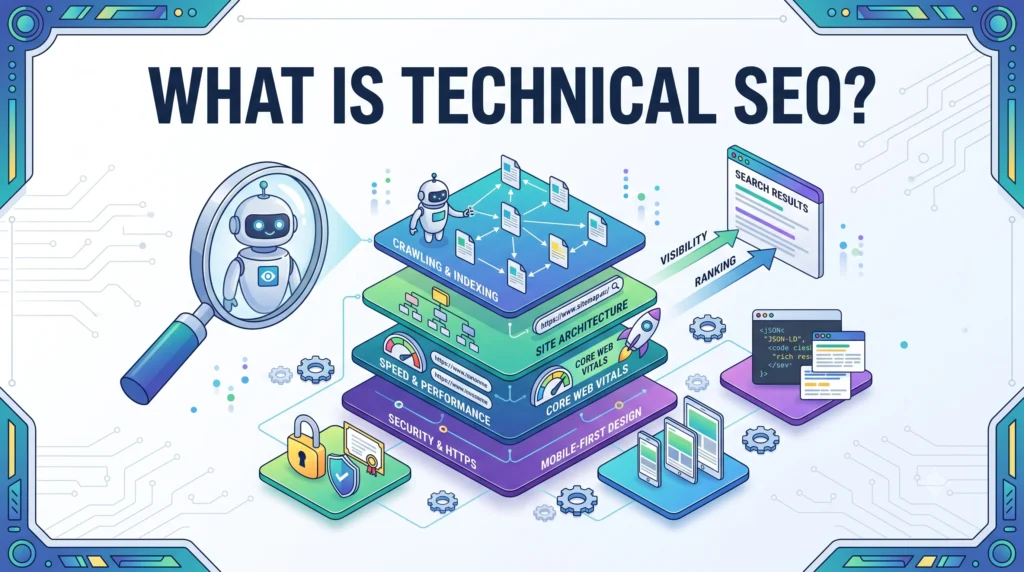
Technical SEO refers to the process of optimizing your website’s infrastructure so search engines like Google can crawl, render, and index your pages efficiently — and so users get a fast, smooth experience once they land on your site.
Unlike content or link-building, Technical SEO basics focus on the “behind the scenes” elements: site speed, crawlability, indexability, mobile-friendliness, structured data, security, and overall site health. Think of it as the foundation of a house.Technical SEO is just one part of a successful SEO strategy. For a broader understanding, explore our complete SEO guide before moving on to advanced optimization techniques. You can decorate a house beautifully (great content), but if the foundation is cracked, nothing else matters.
In short, Technical SEO answers one core question: Can search engines and users access, understand, and use my website easily?
1. Why Is Technical SEO Important?
Technical SEO matters because it directly impacts whether your pages get discovered and ranked in the first place. Even world-class content can be invisible to Google if there are crawl errors, slow load times, or indexing issues blocking it.
Here’s why it deserves your attention:
- Crawlability and indexability determine if your pages even appear in the Google index.
- Page speed optimization and Core Web Vitals directly influence rankings and user experience.
- Mobile-friendly website design is essential since Google uses mobile-first indexing.
- Site health issues like broken links, redirect chains, and duplicate content can quietly drain your rankings over time.
- A strong technical foundation improves how AI-driven search tools (AI Overviews, ChatGPT, Gemini, Perplexity) understand and cite your content.
Simply put, technical SEO optimization is the multiplier that determines how much value your content and backlinks actually deliver.
Technical SEO vs On-Page SEO vs Off-Page SEO
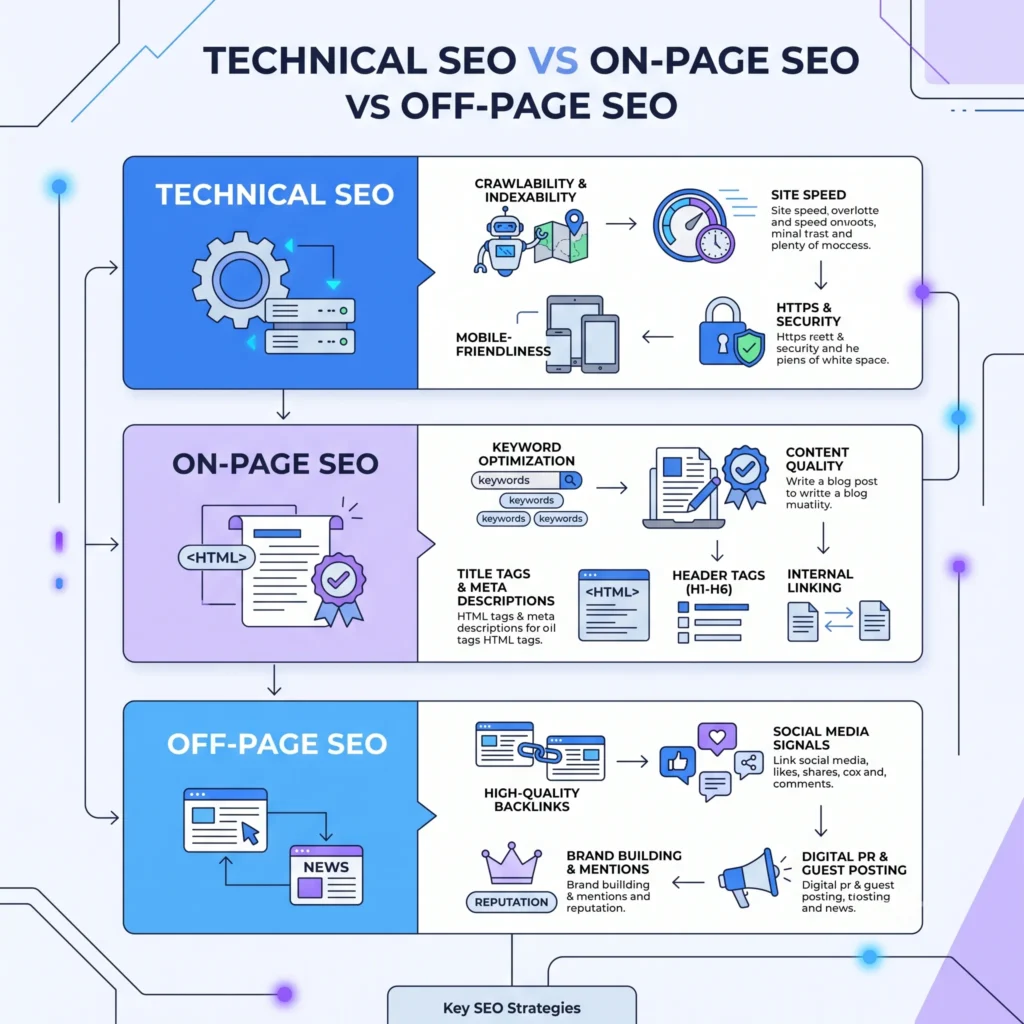
People often confuse these three pillars of SEO, so let’s clarify:
| SEO Type | Focus Area | Examples |
| Technical SEO | Site infrastructure & crawlability | XML sitemap, robots.txt, Core Web Vitals, HTTPS |
| On-Page SEO | Content & relevance | Keywords, headings, meta tags, internal linking |
| Off-Page SEO | Authority & trust signals | Backlinks, brand mentions, social signals |
To better understand how these SEO pillars work together, read our guide on the different types of SEO. All three work together, but website technical SEO is what allows on-page and off-page efforts to actually be seen and rewarded by search engines. Without it, even the best content strategy will underperform.
How Search Engines Crawl, Render, and Index Websites
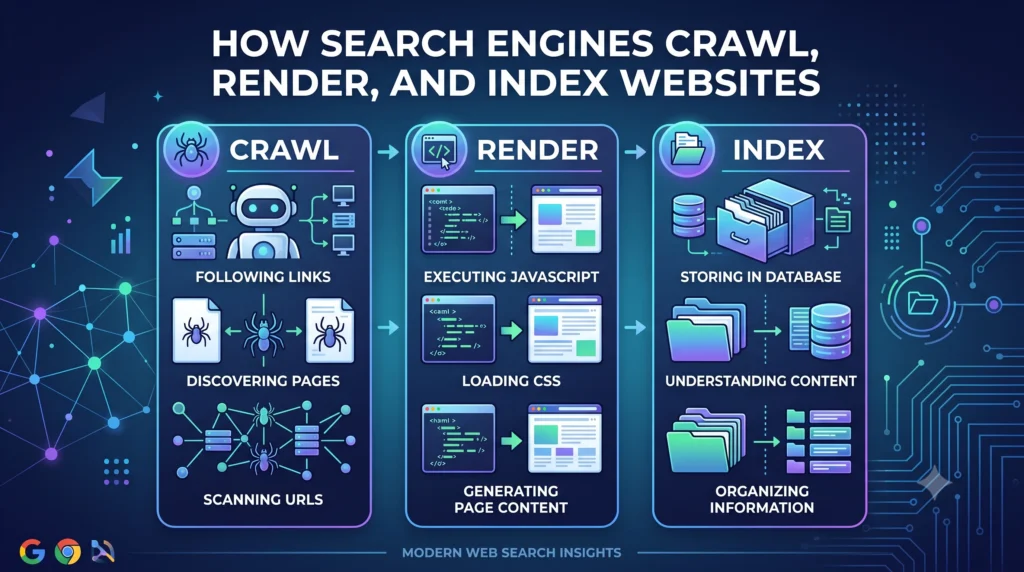
To understand technical SEO best practices, you first need to understand how Google actually finds and processes your content. This happens in three stages:
1. Crawling – Search engine bots, primarily Googlebot, discover your pages by following links, XML sitemaps, and previously known URLs.
2. Rendering – Google renders your page (including JavaScript SEO elements) to see it the way a real user would, since many modern websites rely heavily on JavaScript to display content.
3. Indexing – If the page is unique, valuable, and accessible, Google stores it in its index — the massive database used to serve search engine results pages (SERPs).
If a page fails at any of these three stages, it simply won’t rank, no matter how good the content is. According to Google’s official documentation on how Search works, understanding this crawl-render-index pipeline is fundamental to diagnosing most ranking issues.
Build an SEO-Friendly Website Architecture
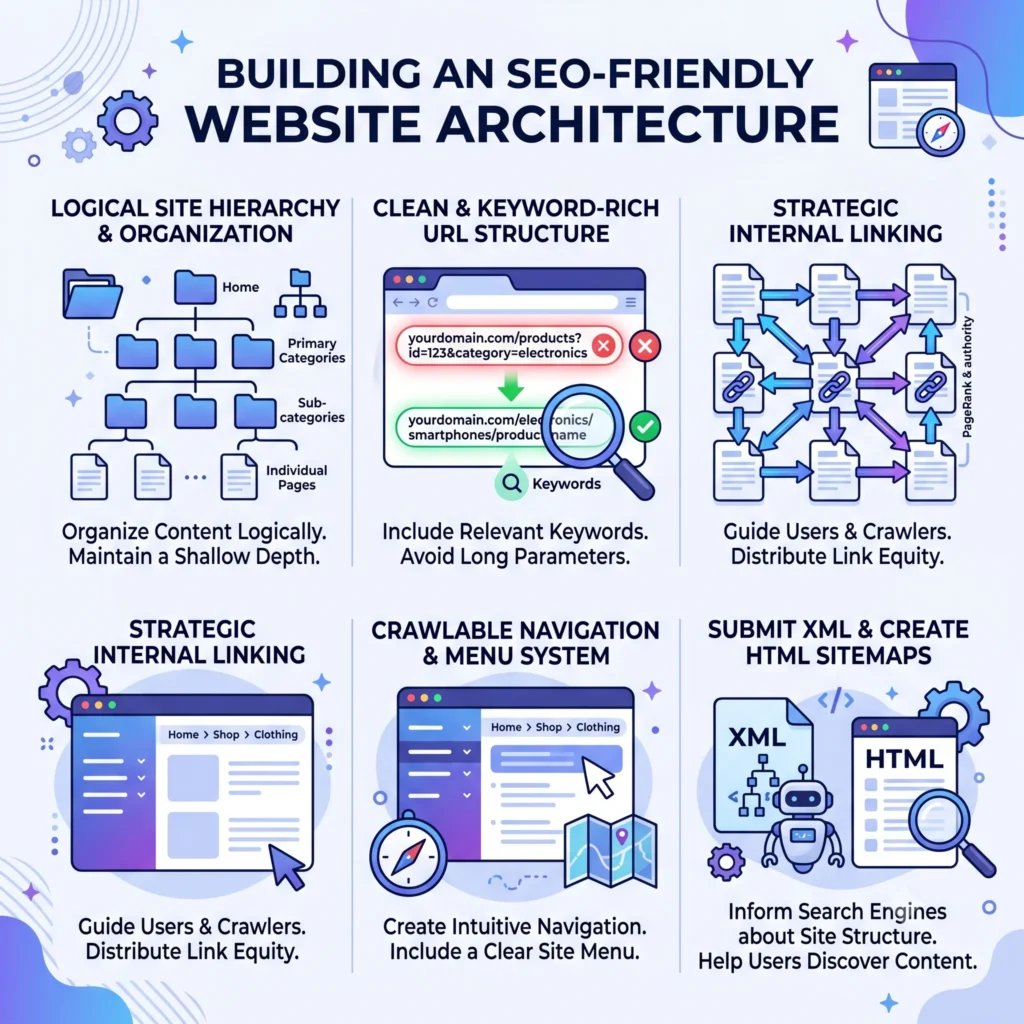
Website architecture is the blueprint of how your pages are structured and linked together. A clean, logical structure improves both crawl efficiency and user experience.
Best practices for website architecture include:
- Keep your site structure shallow — ideally, any page should be reachable within 3-4 clicks from the homepage.
- Use a clear URL structure (e.g., /blog/technical-seo-guide instead of /p=12345).
- Group related content into categories and silos.
- Use breadcrumb navigation to help users and search engines understand page hierarchy.
- Avoid orphan pages — pages with no internal links pointing to them, which are hard for Googlebot to discover.
A well-planned architecture also supports smarter internal linking, which passes authority throughout your site and helps distribute crawl budget efficiently.
Optimize Your Website for Better Crawling

Crawlability is the ability of search engine bots to access and navigate your website. Poor crawlability means your pages might never even be seen by Google.
How to Improve Crawlability
Here are proven ways to improve crawlability and make the most of your crawl budget:
- Submit and maintain an XML sitemap so search engines know which URLs to prioritize crawling.
- Optimize your robots.txt file to guide bots away from unimportant pages (like admin or filter URLs) while allowing access to important ones.
- Fix redirect chains — multiple redirects in sequence waste crawl budget and slow down bots.
- Reduce duplicate content so Googlebot isn’t wasting resources crawling near-identical pages.
- Monitor crawl stats in Google Search Console to spot crawl errors early.
For larger sites, crawl budget management becomes especially important — Google won’t crawl unlimited pages on every visit, so prioritizing your most valuable URLs is key.
Improve Website Indexing
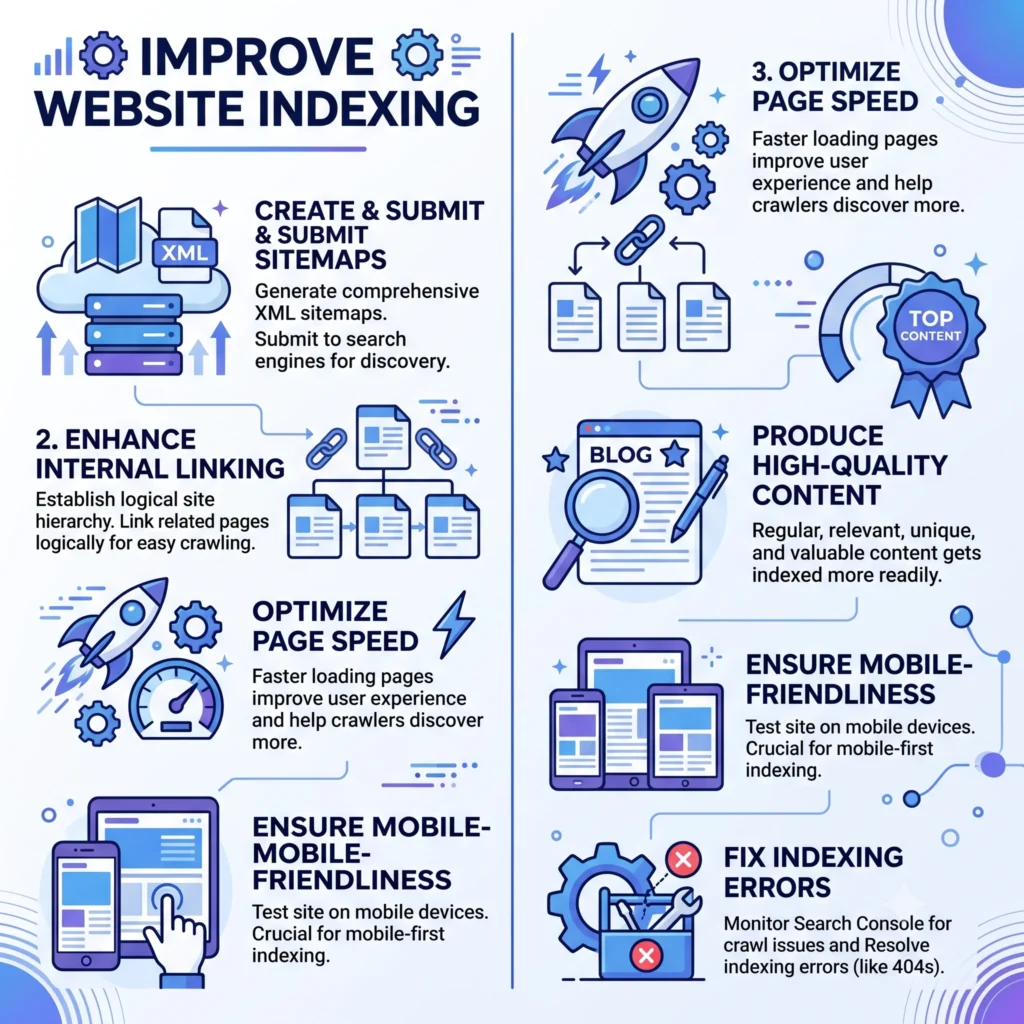
Getting crawled isn’t the same as getting indexed. Indexability refers to whether a page, once crawled, is eligible to be stored and shown in search results.
Common indexing blockers include:
- Incorrect use of the noindex tag
- Conflicting canonical tag signals
- Blocked resources in robots.txt
- Thin content that Google deems low-value
- Duplicate content without proper canonicalization
To check your index coverage, use the Index Coverage report inside Google Search Console, which shows exactly which pages are indexed, excluded, or have errors — and why.
Optimize Core Web Vitals & Page Speed
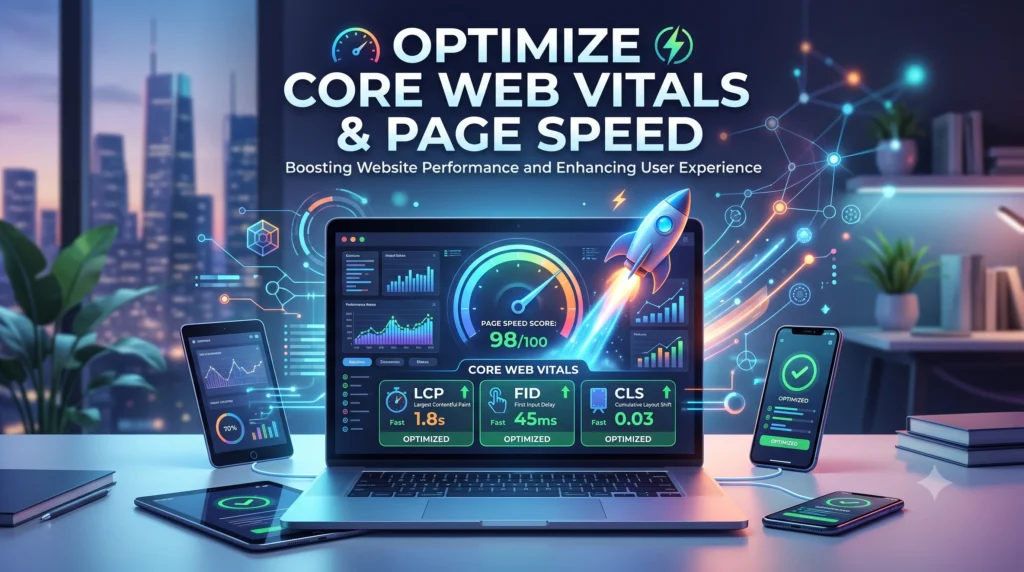
Page experience is a confirmed Google ranking factor, and Core Web Vitals sit at the center of it. These three metrics measure real-world user experience:
- Largest Contentful Paint (LCP) – measures loading performance (should occur within 2.5 seconds).
- Interaction to Next Paint (INP) – measures responsiveness to user interactions.
- Cumulative Layout Shift (CLS) – measures visual stability (avoiding unexpected layout shifts).
Page Speed Optimization Tips
- Compress and lazy-load images.
- Minify CSS, HTML, and JavaScript.
- Use a CDN (Content Delivery Network) to serve content faster globally.
- Enable browser caching for returning visitors.
- Reduce server response times and unused JavaScript.
You can measure and diagnose these metrics using Google PageSpeed Insights, which is built on the Lighthouse engine and gives field and lab data for both mobile and desktop.
Make Your Website Mobile-Friendly
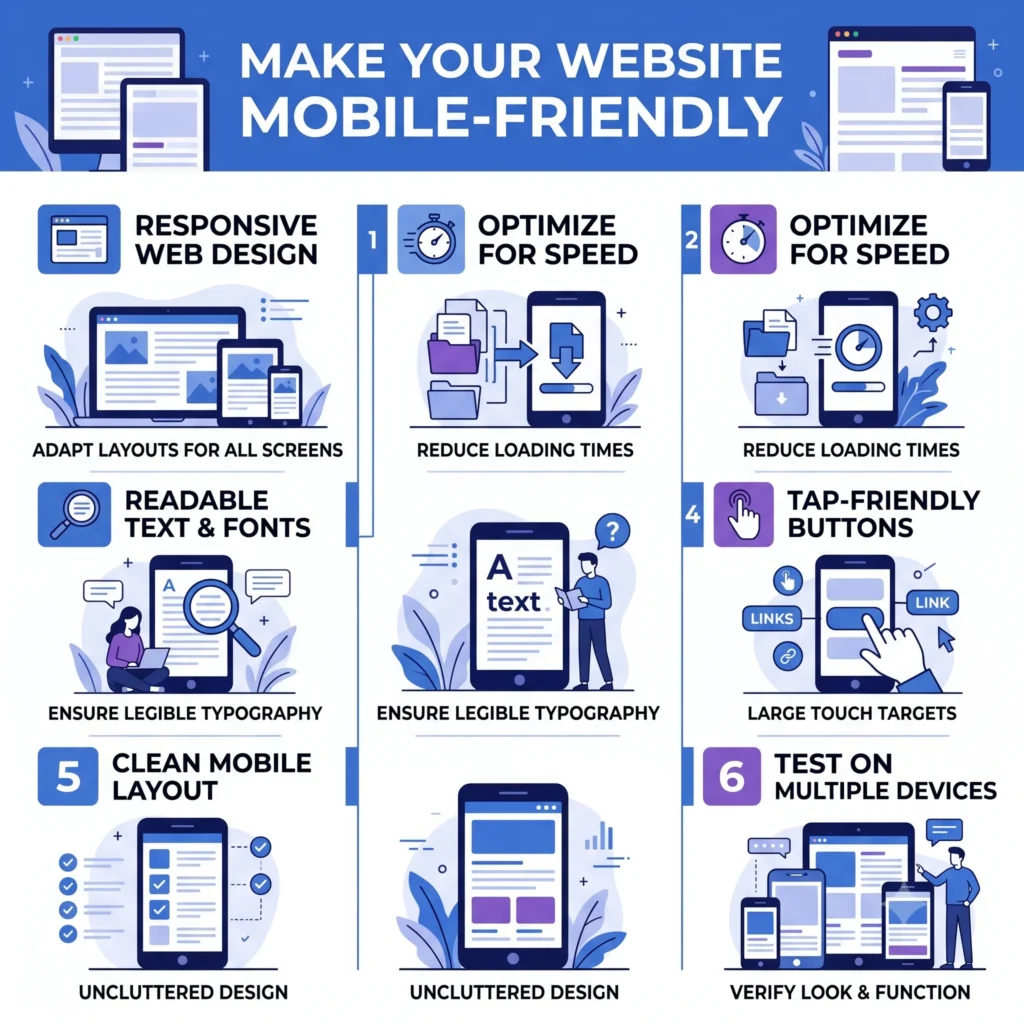
Since Google now uses mobile-first indexing, it primarily evaluates the mobile version of your site for ranking and indexing purposes — even for desktop searches.
A mobile-friendly website should have:
- Responsive design that adapts to any screen size
- Readable font sizes without zooming
- Tap targets spaced properly for touchscreens
- Fast mobile load times
- No intrusive pop-ups blocking content
You can test your site’s mobile compatibility directly through Google Search Console’s mobile usability reports or by inspecting individual URLs with Chrome DevTools.
Implement Structured Data (Schema Markup)
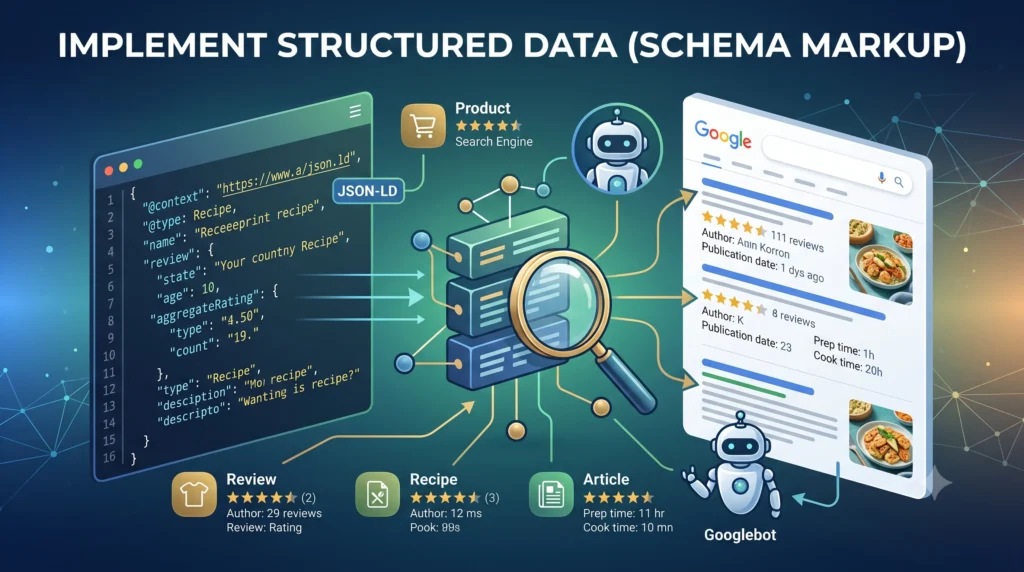
Structured data, commonly implemented using Schema.org vocabulary, helps search engines understand the context of your content — not just the words on the page.
Adding schema markup can help you earn rich results in the SERPs, such as star ratings, FAQs, breadcrumbs, and product details, which improve click-through rates.
Common schema types include:
- Article schema
- Product schema
- FAQ schema
- Breadcrumb schema
- Organization/LocalBusiness schema
You can validate your structured data using Google’s Rich Results Test or Schema Markup Validator to ensure it’s error-free before publishing.
Secure Your Website with HTTPS
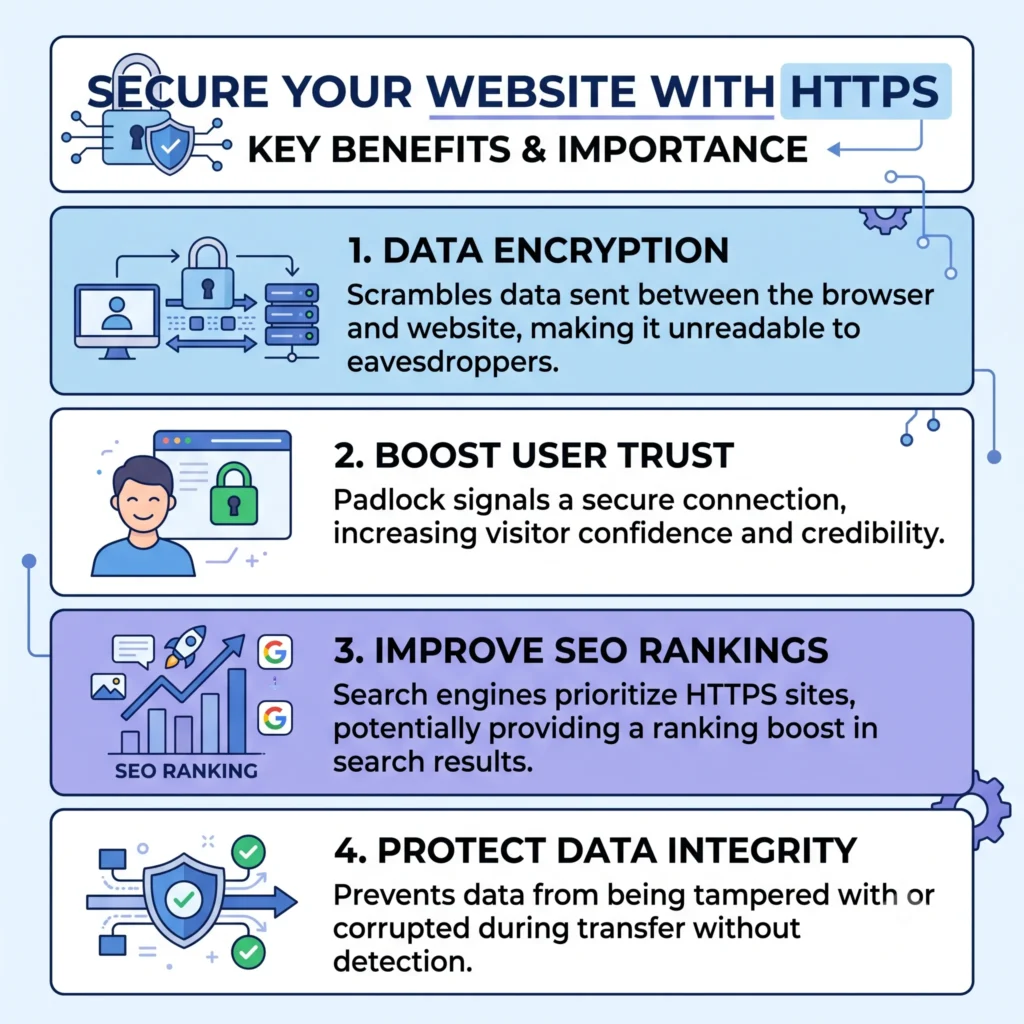
HTTPS (secured by an SSL certificate) is a lightweight but confirmed Google ranking signal — and more importantly, it builds user trust. Browsers actively flag non-HTTPS sites as “Not Secure,” which can hurt both conversions and rankings.
To secure your site:
- Install a valid SSL certificate from a trusted authority.
- Redirect all HTTP URLs to HTTPS using 301 redirects.
- Update internal links and canonical tags to reference the HTTPS version.
- Check for mixed content warnings (HTTP resources loading on HTTPS pages).
Optimize International SEO with Hreflang
If your website serves multiple countries or languages, hreflang tags tell search engines which language or regional version of a page to show to which audience.
Hreflang best practices:
- Use ISO language and country codes correctly (e.g., en-us, en-gb).
- Ensure hreflang tags are reciprocal (Page A references Page B, and Page B references Page A).
- Include a self-referencing hreflang tag on every page.
- Combine hreflang with an x-default tag for users outside targeted regions.
Incorrect hreflang implementation is one of the most common international technical SEO mistakes to avoid, often leading to the wrong regional page ranking in search results.
Fix Common Technical SEO Issues
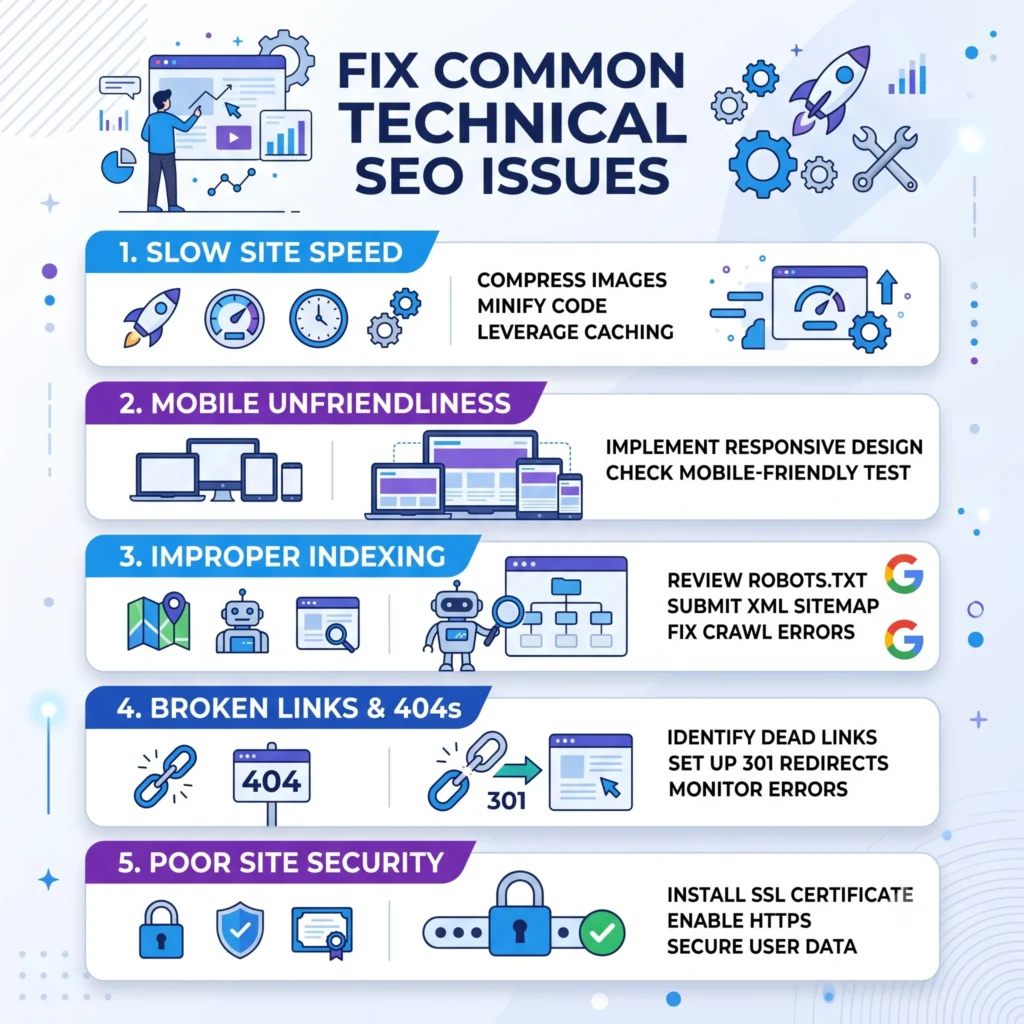
Even well-maintained sites accumulate technical debt over time. Here are frequent issues to watch for during a technical SEO audit:
- 404 errors – pages that no longer exist and return “not found” status codes
- Broken links – internal or external links pointing to dead URLs
- Redirect chains – multiple hops before reaching the final URL
- Duplicate content – identical or near-identical content across multiple URLs
- Thin content – pages with little to no unique value
- Orphan pages – pages with no internal links pointing to them
- Incorrect HTTP status codes – misconfigured server responses confusing crawlers
Regularly auditing for these issues keeps your site health strong and prevents slow, silent ranking losses.
Essential Technical SEO Tools
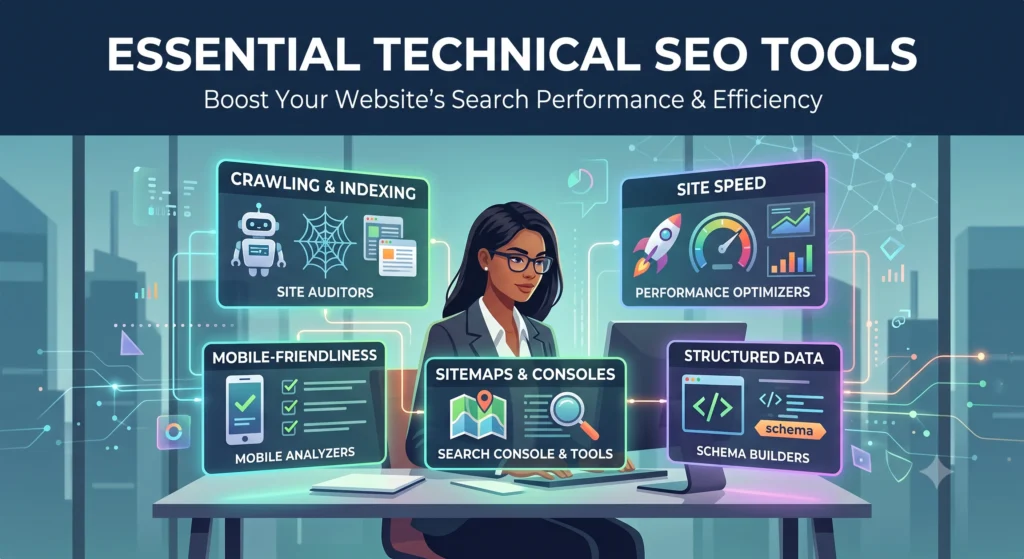
A solid technical SEO strategy relies on the right tools to diagnose and monitor issues. Some of the most trusted tools include:
- Google Search Console – monitor indexing, crawl errors, and search performance
- Google Lighthouse / PageSpeed Insights – audit page speed and Core Web Vitals
- Screaming Frog SEO Spider – crawl your entire site to find broken links, redirects, and duplicate content
- Chrome DevTools – inspect rendering, JavaScript execution, and network requests
- Ahrefs / Semrush – site audits, crawl reports, and backlink analysis
- Bing Webmaster Tools – equivalent crawl and index insights for Bing
Using a combination of these tools gives you a complete, data-backed view of your site’s technical performance.
Technical SEO Checklist (Quick Summary)
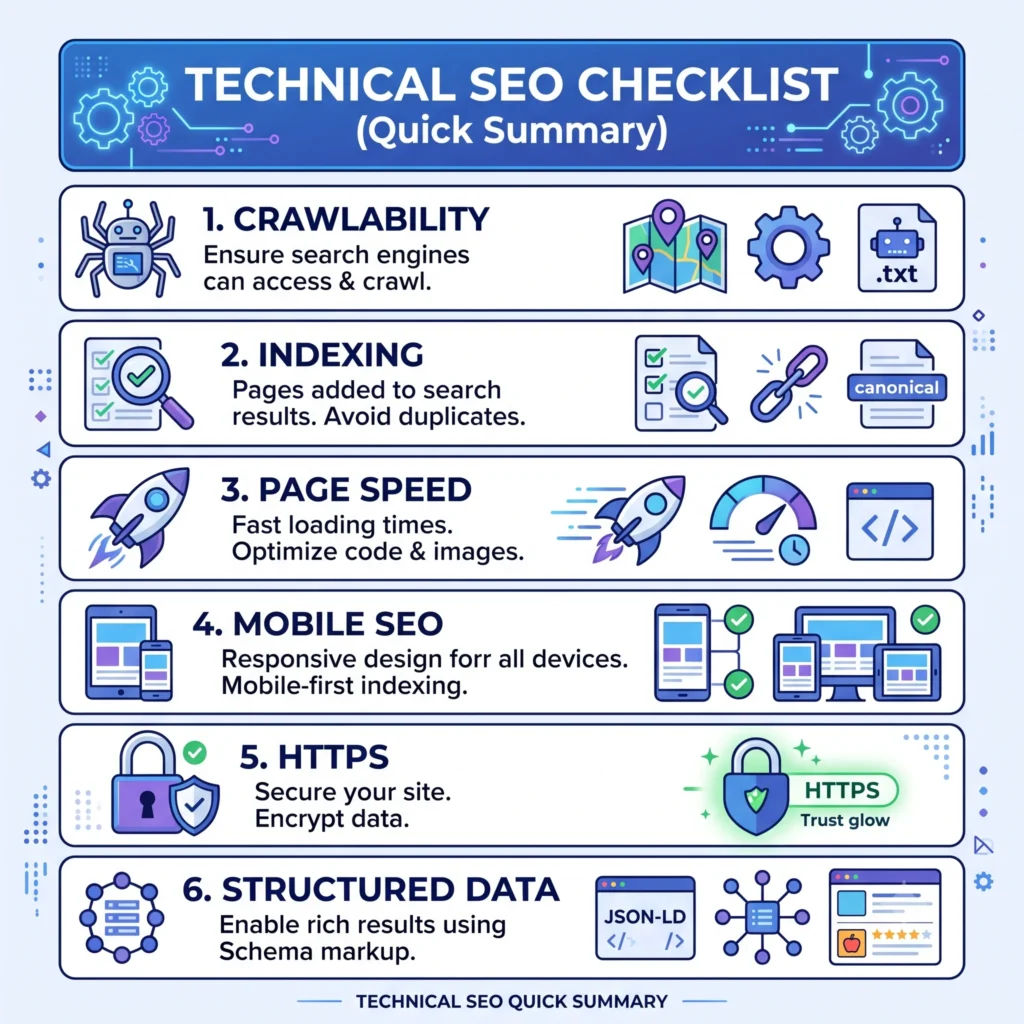
Use this technical SEO checklist for beginners as a quick reference:
- Submit an updated XML sitemap
- Configure robots.txt correctly
- Fix crawl errors in Google Search Console
- Resolve duplicate and thin content issues
- Set canonical tags correctly
- Improve Core Web Vitals (LCP, INP, CLS)
- Ensure mobile-friendliness with responsive design
- Install HTTPS/SSL sitewide
- Implement relevant schema markup
- Fix broken links and redirect chains
- Eliminate orphan pages with internal linking
- Set up hreflang tags (if targeting multiple regions)
Common Technical SEO Mistakes to Avoid

Even experienced site owners fall into these traps:
- Blocking important pages in robots.txt by mistake.
- Using noindex and canonical tags on the same page in conflicting ways.
- Ignoring mobile usability issues.
- Neglecting page speed until rankings drop.
- Forgetting to update the XML sitemap after site changes.
- Overusing redirects, creating long redirect chains.
- Failing to monitor Google Search Console regularly.
Avoiding these mistakes is often more impactful than chasing advanced tactics — technical SEO rewards consistency and attention to detail.
Final Thoughts
Technical SEO isn’t a one-time task — it’s an ongoing process of monitoring, fixing, and refining your website’s foundation. By following the strategies in this guide, from improving crawlability and indexability to optimizing Core Web Vitals and implementing structured data, you’ll build a website that’s fast, accessible, and fully optimized for both traditional search engines and emerging AI-driven search experiences. If you’re still building your SEO knowledge, our beginner’s SEO guide is the perfect place to learn the fundamentals before mastering Technical SEO.
Start with the technical SEO checklist above, run a full technical SEO audit using tools like Google Search Console and PageSpeed Insights, and tackle issues one at a time. A technically sound website isn’t just good for rankings — it’s good for every visitor who lands on it.
Frequently Asked Questions (FAQ)
What is technical SEO?
Technical SEO is the process of optimizing your website’s technical elements to help search engines crawl, index, and rank your pages more effectively. It improves site performance, user experience, and search visibility.
What are some examples of technical SEO?
Examples include optimizing page speed, creating XML sitemaps, using robots.txt, implementing schema markup, fixing broken links, and improving Core Web Vitals. These practices make your website easier for search engines to understand.
Is technical SEO hard?
Technical SEO can seem complex at first, but learning the basics is manageable with the right tools and guidance. Most improvements follow clear best practices that anyone can implement.
How to perform technical SEO?
Start by auditing your website, fixing crawl and indexing issues, improving page speed, optimizing site structure, adding schema markup, and monitoring performance with Google Search Console.
What are the 4 stages of SEO?
The four main stages of SEO are Technical SEO, On-Page SEO, Off-Page SEO, and Content SEO. Together, they improve your website’s visibility, authority, user experience, and search rankings.
FluxSEO’s Team creates practical, beginner-friendly guides on SEO, blogging, keyword research and digital growth. Our goal is to simplify search engine optimization and help website owners improve visibility, rankings and organic traffic with clear, actionable advice.