
Technical SEO tools are software that crawl, test, or monitor the parts of a website that affect how search engines access, render, and index it. They show you the broken links, blocked pages, slow templates, and missing structured data that you would otherwise find only after traffic drops.
The best technical SEO tools for most sites are Google Search Console and a crawler like Screaming Frog for baseline audits, Ahrefs Site Audit or Semrush Site Audit for ongoing monitoring, and enterprise platforms like Botify or Lumar once you need log file analysis or very large crawls. This guide compares free and paid options, explains which features matter, and shows how to turn the tools into a workflow your team can sustain.
Why Technical SEO Tools Matter in 2026

Search engines judge far more than keywords. Google’s Core Web Vitals measure loading speed (Largest Contentful Paint, or LCP), responsiveness (Interaction to Next Paint, or INP), and visual stability (Cumulative Layout Shift, or CLS). INP replaced First Input Delay (FID) in March 2024, so any report or guide that still lists FID is out of date. Google’s Core Web Vitals documentation recommends an LCP within 2.5 seconds, an INP under 200 milliseconds, and a CLS below 0.1.
Google says its ranking systems use Core Web Vitals, but it also says good scores don’t guarantee top rankings, because page experience involves more than these three metrics. Treat them as one input among many, and fix them because slow, unstable pages frustrate real visitors.
Other problems are quieter. A single crawl error can keep a high-value product page out of search results, and a misconfigured robots.txt file can block an entire category. Technical SEO tools surface these issues before they cost you traffic, revenue, or credibility.
Pro tip: Compare audit findings against Google’s own documentation instead of treating any tool’s health score as the final word.
What to Look for in a Technical SEO Tool
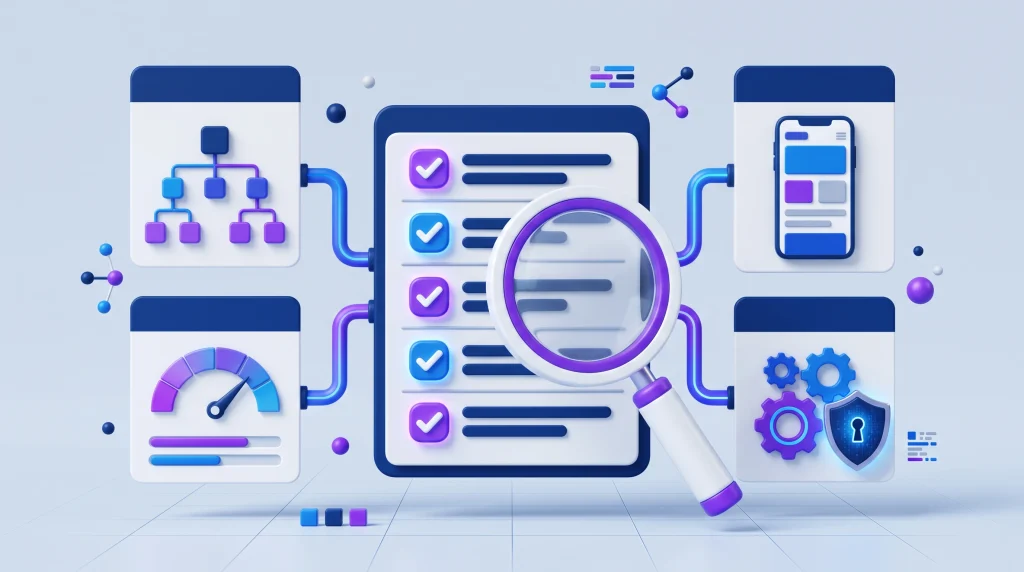
Tools differ widely in depth. Use these capabilities to compare your options:
| Feature | Why it matters | What to look for |
|---|---|---|
| Crawl simulation | Shows how a crawler moves through your site and exposes blocked resources, redirect loops, and orphan pages. | Full-site crawls, HTTP status reports, sitemap validation |
| Page speed and Core Web Vitals | Core Web Vitals feed into Google’s ranking systems and shape user experience. | LCP, INP, and CLS data, field and lab results, waterfall charts |
| Structured data validation | Helps search engines understand rich-result content such as FAQs, products, and articles. | Schema.org checks, error and warning breakdowns |
| Log file analysis | Shows real bot behavior, crawl frequency, and wasted crawl activity. | Raw log parsing, bot verification, crawl visualizations |
| JavaScript rendering | Sites built on React, Vue, or Angular can hide content from crawlers that don’t render. | Headless browser rendering, comparison of raw and rendered HTML |
| Integration and automation | Feeds data into dashboards, CI pipelines, and ticketing systems. | API access, webhooks, CSV or JSON exports |
| Scalability | Large ecommerce and publishing sites need to crawl very high URL counts efficiently. | Cloud-based crawling, throttling controls, scheduled crawls |
A tool that covers most of these deserves a spot on your shortlist. Few cover all of them well, which is why many teams pair a crawler with a performance tool and add log analysis only when the site is large enough to need it.
Free vs. Paid Technical SEO Tools

Free tools usually cover crawl reports, basic speed metrics, and schema validation. Their limits tend to be URL caps, no JavaScript rendering, and no log analysis. Prices and limits change often, so confirm current details on each vendor’s site before you commit.
When Free Tools Are Enough
- Your site is small, roughly under 10,000 pages.
- You’re still learning technical SEO.
- You need occasional audits rather than continuous monitoring.
When Paid Tools Pay Off
- Your site is large or complex, such as an ecommerce store or a publisher with many URLs.
- You release code often and want audits tied into CI or ticketing.
- You need historical trend data and automated alerts.
Paid tools typically add JavaScript rendering, scheduled crawls, historical comparisons, integrations, and support. The return comes from catching problems sooner and spending less developer time hunting for them.
A Simple Starting Stack by Site Size
- Small site: Google Search Console, PageSpeed Insights, and the free version of Screaming Frog.
- Growing site: Add Ahrefs Site Audit, Semrush Site Audit, or Sitebulb for scheduled crawls and trend data.
- Large or highly complex site: Move to a cloud platform such as Lumar or Botify, and add log file analysis.
Best Free Technical SEO Tools

These four tools cover the basics at no cost. Sitebulb offers a free trial rather than a free plan, so it appears in the paid section below.
Google Search Console
Search Console is the most authoritative source for how Google sees your site. It includes the Page indexing report, URL Inspection, sitemap submission, Crawl Stats, and Core Web Vitals field data. Use it to find indexing and crawl problems and to confirm that a fix worked. It doesn’t crawl your whole site on demand and shows only Google’s view, so pair it with a crawler. For setup help, see our technical SEO guide {{INTERNAL LINK 1: link the words ‘technical SEO guide’ to the FluxSEO.tech URL}}.
Screaming Frog SEO Spider (Free Version)
Screaming Frog is a desktop crawler for Windows, macOS, and Linux. The free version crawls up to 500 URLs and reports response codes, page titles, meta descriptions, robots directives, hreflang attributes, and exact duplicate pages. It can also generate XML sitemaps. JavaScript rendering, scheduled crawls, and Google API integrations require a paid license. It works well for quick audits of small sites.
Google PageSpeed Insights
PageSpeed Insights tests one URL at a time on mobile and desktop. According to Google’s PageSpeed Insights documentation, it combines field data from real Chrome users, including LCP, INP, and CLS, with lab data from a Lighthouse test. Lab data is best for debugging, while field data shows what visitors actually experience, so the two can disagree. There’s no site-wide crawl, so test one URL from each page template rather than every page.
Rich Results Test and Schema Markup Validator
Google retired the old Structured Data Testing Tool and now points people to two replacements. The Rich Results Test checks whether your markup qualifies for Google Search rich results, and the Schema Markup Validator checks general Schema.org syntax, including types Google doesn’t use. Google’s announcement about the Structured Data Testing Tool explains the split. Neither tool catches every issue, so also review the structured data reports in Search Console after you deploy changes.
Best Paid Technical SEO Tools
Paid tools earn their cost through scale, scheduling, JavaScript rendering, and historical data. Match the tool to your site size and your team’s skills.
Screaming Frog SEO Spider (Paid License)
The paid license removes the 500-URL cap, with very large crawls limited only by your computer’s memory and storage. It adds JavaScript rendering, scheduling, crawl comparison, near-duplicate detection, and integrations with Search Console and PageSpeed Insights. Licenses are per user and start at £199 per year on Screaming Frog’s UK pricing page. It’s best for SEO specialists who want raw data and deep configuration.
Ahrefs Site Audit
Ahrefs Site Audit is a cloud-based crawler that checks for more than 170 SEO issues and can render JavaScript. Because crawling runs in the cloud, it needs no local resources. Verified site owners can also run a limited audit for free through Ahrefs Webmaster Tools. It’s best for teams that already use Ahrefs for backlink analysis and want everything on one platform.
Semrush Site Audit
Semrush says Site Audit runs more than 140 checks, covering issues such as broken links, duplicate content, HTTPS, and hreflang. Crawl limits depend on your plan, from about 100,000 pages per month on the entry-level paid toolkit to 1 million on the top tier, and JavaScript rendering requires a higher-tier plan. Check the limits for the exact plan you’re considering. It’s best for marketers who want site audits alongside keyword research and position tracking.
Sitebulb
Sitebulb is a desktop and cloud crawler that turns findings into prioritized ‘Hints’ with plain-English explanations, and it includes JavaScript crawling at no extra cost. There’s no permanent free plan, only a 14-day free trial. It’s best for SEO professionals who value explained, visual diagnostics and client-ready reporting over raw data tables.
Lumar (Formerly DeepCrawl)
DeepCrawl rebranded as Lumar in 2022, so older guides may still use the previous name. It’s an enterprise-scale, cloud-based platform for crawling and monitoring complex sites, covering technical SEO, accessibility, and site performance. Pricing is quoted through sales. It’s best for large ecommerce and publishing sites where many teams need shared monitoring and task tracking.
Botify
Botify is an enterprise platform built around crawl budget optimization and log file analysis. It combines crawl data, server logs, and search performance data so you can see how bots actually move through a large site. It’s priced and positioned for enterprise teams, so it’s usually more than a small site needs. It’s best for large sites where bot behavior data drives prioritization.
When evaluating any paid option, request a trial or demo, compare it against the capabilities table above, and test it on a representative section of your own site. Also weigh how long your team will need to learn it.
Specialized Tools for Specific Technical Tasks

| Task | Recommended tools | Why they stand out |
|---|---|---|
| Log file analysis | Screaming Frog Log File Analyser, Botify | The Analyser is free for up to 1,000 log events in a single project, which is enough to test the method. Botify handles server logs at enterprise scale alongside crawl data. |
| Structured data validation | Rich Results Test, Schema Markup Validator | One checks Google rich result eligibility, the other checks general Schema.org syntax. |
| Mobile testing | Lighthouse, BrowserStack | Google retired Search Console’s Mobile Usability report and the Mobile-Friendly Test in December 2023 and pointed to Lighthouse as an alternative. BrowserStack adds testing on real devices and browsers. |
| Accessibility audits | WAVE, axe DevTools | Detect WCAG violations that can affect SEO indirectly, such as missing alt text. |
| Duplicate content detection | Siteliner | Highlights duplicate content and broken internal links within a site. |
These specialized tools complement the broader suites. Most let you export data to combine in a spreadsheet or dashboard.
How to Build a Technical SEO Workflow With These Tools

- Set a baseline. Run a full crawl with your main audit tool and record Core Web Vitals field data from PageSpeed Insights or Search Console. Our technical SEO audit checklist {{INTERNAL LINK 2: link the words ‘technical SEO audit checklist’ to the FluxSEO.tech URL}} can help you decide what to track. Store the results in a shared spreadsheet or BI dashboard.
- Automate monitoring. Schedule weekly or monthly crawls with your tool’s scheduler or API, and push alerts to Slack or Microsoft Teams when critical errors such as 5xx responses appear.
- Prioritize fixes by impact.
- Critical: crawl errors, broken redirects, and security issues such as HTTPS problems.
- High: Core Web Vitals failures and duplicate title tags or meta descriptions.
- Medium: missing alt attributes and minor schema warnings.
- Assign ownership. Link each issue to a developer or content editor in Jira, Asana, or your project management system.
- Validate changes. After a fix, inspect the URL in Search Console’s URL Inspection tool and confirm the status code and rendering.
- Report quarterly. Compile trends, such as crawl errors over time and field LCP and INP, and share them with stakeholders.
Treat technical SEO as a continuous process rather than a one-off audit, so regressions get caught after releases.
Common Mistakes When Choosing and Using Technical SEO Tools

| Mistake | Consequence | How to avoid it |
|---|---|---|
| Relying on a single tool | Missed issues, such as JavaScript problems a non-rendering crawler can’t see | Combine a crawler with a performance tool, and use Search Console as your reference for Google’s view |
| Ignoring log files on large sites | Wasted crawl activity and missed indexing opportunities | Analyze logs periodically with Screaming Frog Log File Analyser or Botify |
| Over-optimizing for scores | Sacrificing content quality or usability for small speed gains | Judge Core Web Vitals with field data, use lab data to debug, and fix failing metrics before polishing passing ones |
| Not updating sitemaps after site changes | Search engines keep crawling removed URLs, causing 404 spikes | Generate sitemaps automatically through your CMS, or with a crawler such as Screaming Frog |
| Treating every warning as a must-fix | Wasted time on low-impact issues | Prioritize by severity and the traffic value of affected pages |
How to Measure the ROI of Technical SEO Tools

Tying fixes to results is hard, but these measures give a clear picture:
- Organic traffic to fixed pages. Compare sessions before and after on pages that received technical fixes, and account for seasonality.
- Indexation. Track how many of your submitted or known URLs are indexed in Search Console’s Page indexing report.
- Core Web Vitals. Monitor field LCP, INP, and CLS over time in Search Console.
- Engagement. Watch engagement metrics in Google Analytics, since faster, error-free pages tend to keep visitors on the site.
- Developer time. Fewer tickets for avoidable crawl errors means measurable hours saved.
Overlay these metrics with audit and release dates in a spreadsheet, Looker Studio, or Power BI. Correlation isn’t proof, because rankings and traffic depend on many factors, but a before-and-after view helps justify tool budgets.
Conclusion
The best technical SEO tools are the ones that fit your site’s size, tech stack, and team, not the ones with the flashiest dashboards. Start with Google Search Console and the free version of Screaming Frog, then add Ahrefs, Semrush, Sitebulb, Lumar, or Botify once you need scale, JavaScript rendering, scheduled crawls, or log file analysis.
Whichever you pick, build it into a repeatable routine: crawl on a schedule, fix issues by impact, verify each change, and track the results. Used that way, technical SEO tools help you catch problems early instead of discovering them after traffic drops.
Frequently Asked Questions(FAQ)
What are the best free technical SEO tools?
Some of the best free technical SEO tools include Google Search Console, Google PageSpeed Insights, Lighthouse, Screaming Frog SEO Spider (free version), and Bing Webmaster Tools. They help identify crawling issues, indexing problems, broken links, and website performance issues.
What are the best technical SEO tools for beginners?
Google Search Console, PageSpeed Insights, and Screaming Frog SEO Spider are excellent starting points for beginners. They provide useful insights into indexing, website speed, and technical errors without requiring advanced SEO knowledge.
What is a technical SEO checker?
A technical SEO checker is a tool that scans a website to identify technical issues affecting search engine crawling, indexing, and performance. It can detect broken links, missing metadata, redirect errors, duplicate content, and other optimization problems.
What are the top 10 SEO tools?
Popular SEO tools include Google Search Console, Google Analytics 4, Screaming Frog SEO Spider, Ahrefs, Semrush, Moz Pro, Google PageSpeed Insights, Sitebulb, SE Ranking, and Bing Webmaster Tools. Each offers different features for technical audits, keyword research, backlink analysis, and performance tracking.
What are the best free website audit tools?
Google Search Console, Screaming Frog SEO Spider (free version), Google Lighthouse, PageSpeed Insights, and Bing Webmaster Tools are useful free website audit options. They help identify technical SEO errors, crawling issues, indexing problems, and page performance improvements.
FluxSEO’s Team creates practical, beginner-friendly guides on SEO, blogging, keyword research and digital growth. Our goal is to simplify search engine optimization and help website owners improve visibility, rankings and organic traffic with clear, actionable advice.