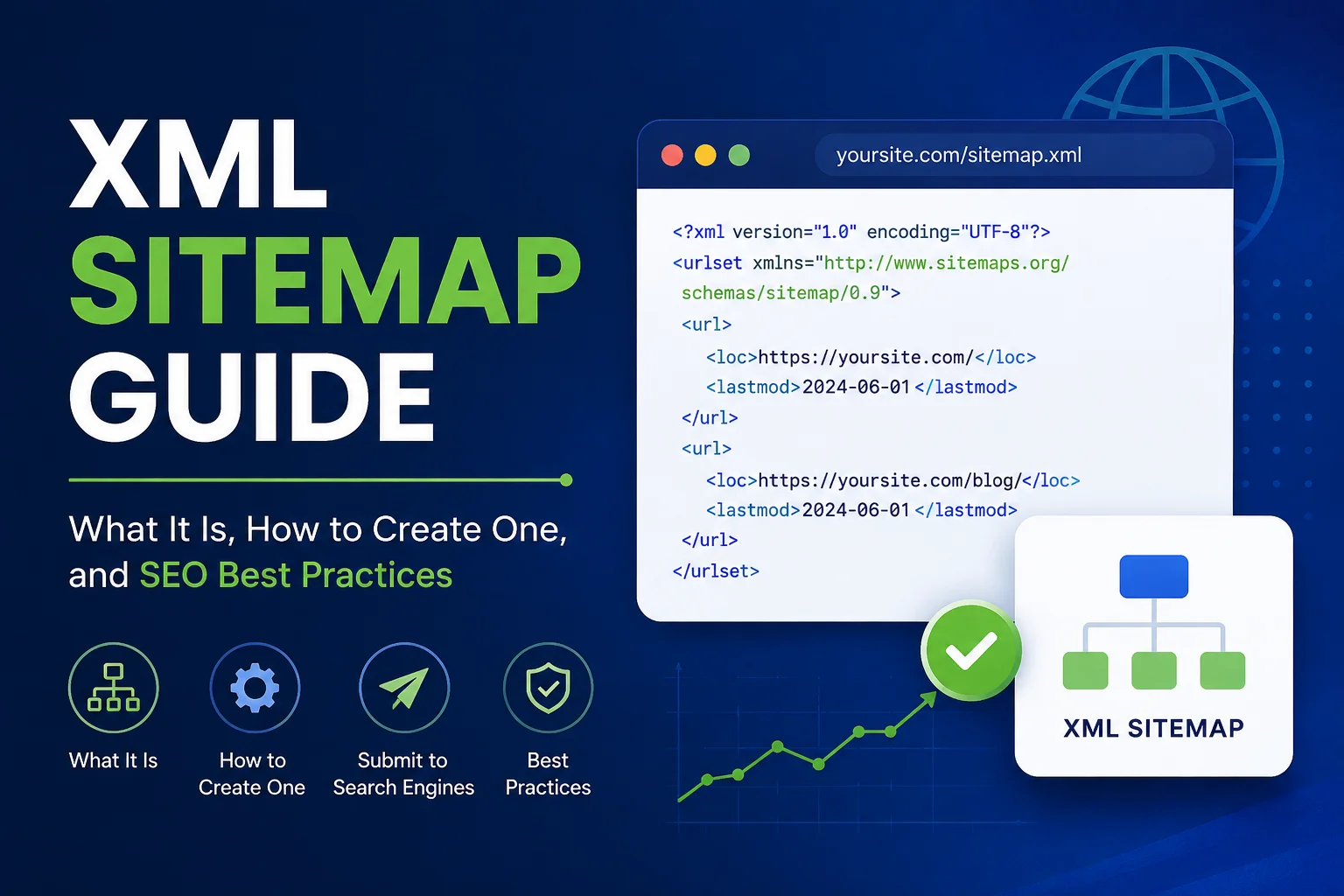
If you’ve ever wondered how Google finds every page on your website, this XML Sitemap Guide is for you.An XML sitemap is one of the most underrated tools in technical SEO—small in size, but powerful in impact. If you want to understand how sitemaps fit into the bigger picture, check out our complete guide to technical SEO. Whether you run a five-page blog or a 50,000-page e-commerce store, understanding how sitemap.xml works can directly affect how quickly and completely your site gets indexed.
In this XML Sitemap Guide, you’ll learn what an XML sitemap is, why it matters for SEO, how to create and submit one, common mistakes to avoid, and how it compares to an HTML sitemap. We’ll keep things beginner-friendly, so no prior technical SEO knowledge is required.
What Is an XML Sitemap?

An XML sitemap is a structured XML file that lists the important URLs on your website, helping search engine crawlers like Googlebot discover, crawl, and understand your site’s architecture. Think of it as a roadmap you hand directly to search engines — instead of hoping Googlebot stumbles onto every page through internal links, you tell it exactly where to look.
A basic XML sitemap follows the sitemap protocol, using a <urlset> tag as the root element and individual <url> entries for each page. Each entry can include:
- <loc> — the page’s URL
- <lastmod> — when the page was last modified (in W3C Datetime format)
- <changefreq> — how often the page is expected to change
- <priority> — the page’s relative importance on your site
Large websites often use a sitemap index — a master XML file that points to multiple smaller sitemaps — since a single sitemap file can hold a maximum of 50,000 URLs or 50MB uncompressed. You can learn the full technical specification directly from the official sitemap protocol documentation.
How Search Engines Use an XML Sitemap
Search engines don’t rely solely on sitemaps to discover content — they primarily follow links. But an XML sitemap acts as a backup discovery method, especially useful for:
- New sites with few backlinks
- Large sites with deep page architecture
- Sites with pages that aren’t well linked internally
- E-commerce sites with frequently changing inventory
Why XML Sitemaps Matter for SEO
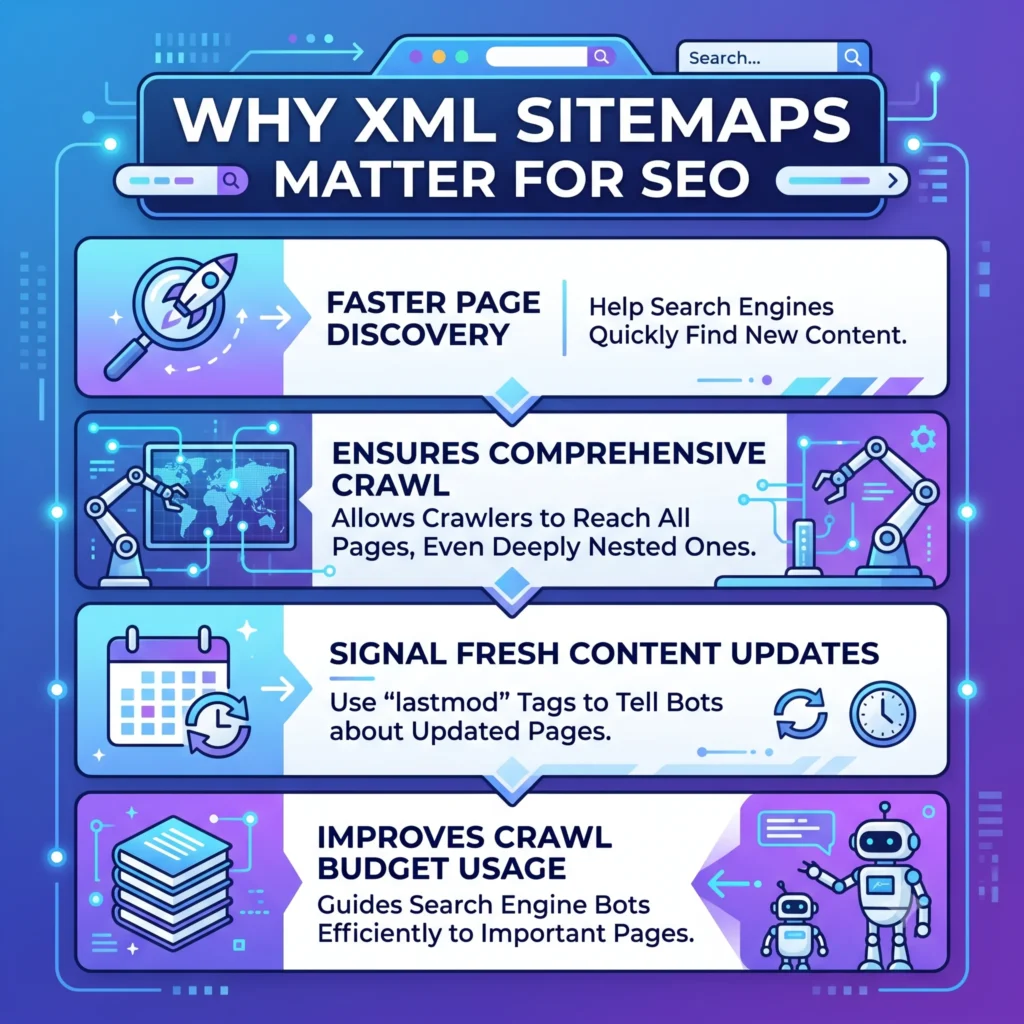
The core reason this XML Sitemap Guide exists is simple: an XML sitemap for SEO isn’t optional for most serious websites — it’s foundational. Here’s why it matters:
Faster indexing. Instead of waiting for crawlers to naturally discover new pages, a sitemap speeds up the process, especially for freshly published content.
Better crawl efficiency. Search engines operate with a limited crawl budget for each site. Crawl budget, indexing, and website architecture are all core parts of technical SEO, making them essential for improving your site’s search performance. A clean XML sitemap helps crawlers prioritize indexable pages instead of wasting crawl budget on irrelevant or duplicate URLs.
Improved website indexing for large sites. If you manage a site with thousands of pages, an XML sitemap ensures none of your important content gets skipped.
Visibility into indexing issues. When paired with Google Search Console, your sitemap gives you diagnostic data — showing which pages are indexed, excluded, or generating errors.
According to Google’s own documentation on building sitemaps, sitemaps are especially helpful for sites that are new, have limited internal linking, or use rich media content like video and images that Google may not otherwise discover.
What Should an XML Sitemap Include?
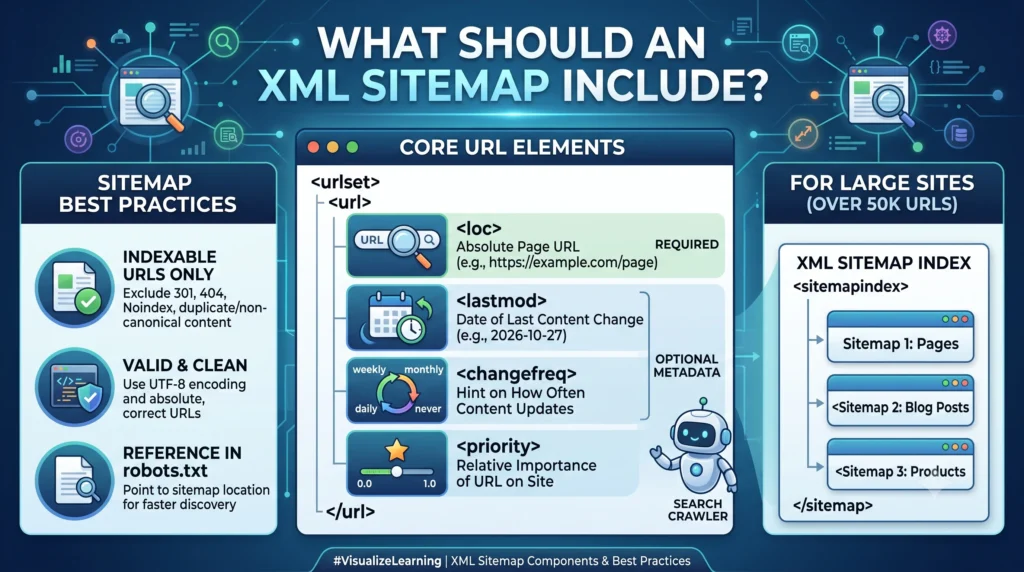
Not every URL on your site belongs in a sitemap. A well-structured XML sitemap should only include crawlable URLs that you actually want indexed. Here’s what to include — and exclude.
Include:
- Canonical URLs of your most important pages
- Blog posts, product pages, category pages, and cornerstone content
- Recently updated pages (with accurate <lastmod> values)
Exclude:
- Noindex pages
- Pages blocked by robots.txt
- Duplicate content or non-canonical URLs
- Pages that return 404 errors or redirect via 301 redirects
- Login pages, admin URLs, or thin/low-value pages
Keeping your sitemap clean isn’t just tidy housekeeping — it directly affects how search engines interpret your site’s priorities. A sitemap full of noindex pages or redirects sends mixed signals and wastes crawl budget.
How to Create an XML Sitemap

Now let’s get into the practical part of this XML Sitemap Guide: actually building one. There are three common approaches.
Option 1: Use a CMS Plugin (Easiest)
If you’re running XML Sitemap WordPress sites, plugins can generate and update your sitemap automatically. Popular options include:
- Yoast SEO — automatically creates a sitemap index and updates it as you publish content. You can find setup details on the official Yoast SEO plugin page.
- Rank Math — another widely used WordPress SEO plugin with built-in sitemap generation
- Shopify, Wix, and Squarespace also generate sitemaps automatically by default
Option 2: Use an XML Sitemap Generator Tool
If your site isn’t built on a CMS with built-in sitemap support, a dedicated XML Sitemap Generator tool (like Screaming Frog, XML-Sitemaps.com, or similar crawler-based tools) can scan your site and output a properly formatted sitemap.xml file.
Option 3: Create One Manually (For Small Sites)
For small, static websites, you can hand-code a sitemap. Here’s a simple XML sitemap example showing the correct XML sitemap format:
xml
<?xml version=”1.0″ encoding=”UTF-8″?>
<urlset xmlns=”http://www.sitemaps.org/schemas/sitemap/0.9″>
<url>
<loc>https://www.example.com/</loc>
<lastmod>2026-07-15</lastmod>
<changefreq>weekly</changefreq>
<priority>1.0</priority>
</url>
<url>
<loc>https://www.example.com/blog/xml-sitemap-guide/</loc>
<lastmod>2026-07-20</lastmod>
<changefreq>monthly</changefreq>
<priority>0.8</priority>
</url>
</urlset>
Save this as sitemap.xml, encode it in UTF-8, and upload it to your website’s root directory so it’s accessible at yourdomain.com/sitemap.xml.
How to Submit an XML Sitemap to Google
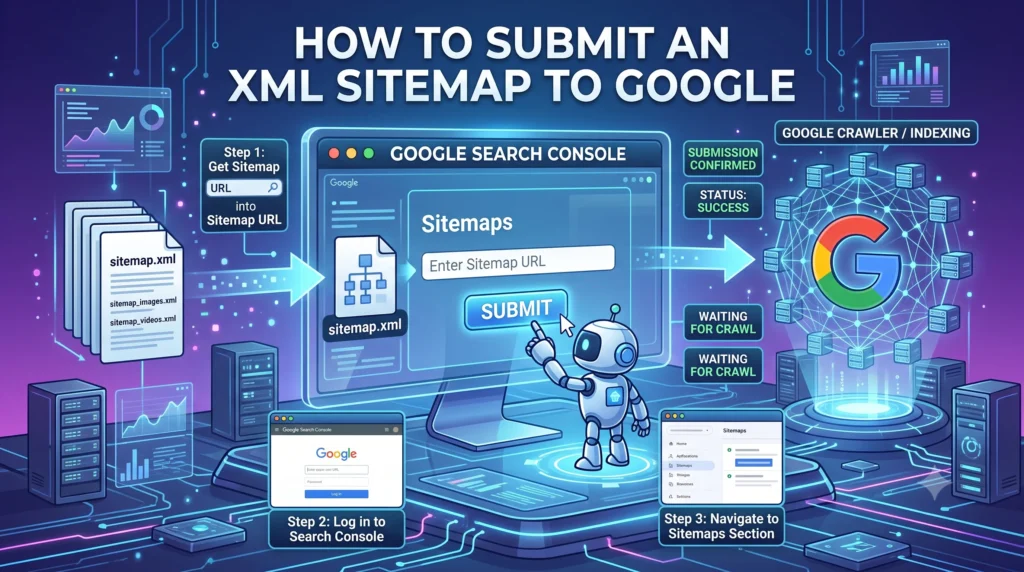
Once your file is live, the next step in this XML Sitemap Guide is submission. Knowing how to submit an XML sitemap to Google properly ensures search engines are aware it exists.
- Log in to Google Search Console.
- Select your verified property.
- Navigate to Sitemaps in the left-hand menu.
- Enter your sitemap URL (e.g., sitemap.xml or sitemap_index.xml).
- Click Submit.
You can manage and monitor this directly through Google Search Console, which also reports indexing errors, discovered URLs, and last read dates.
It’s also good practice to reference your sitemap location inside your robots.txt file:
Sitemap: https://www.example.com/sitemap.xml
This gives all search engine crawlers — not just Googlebot — an easy way to find it.
XML Sitemap Best Practices
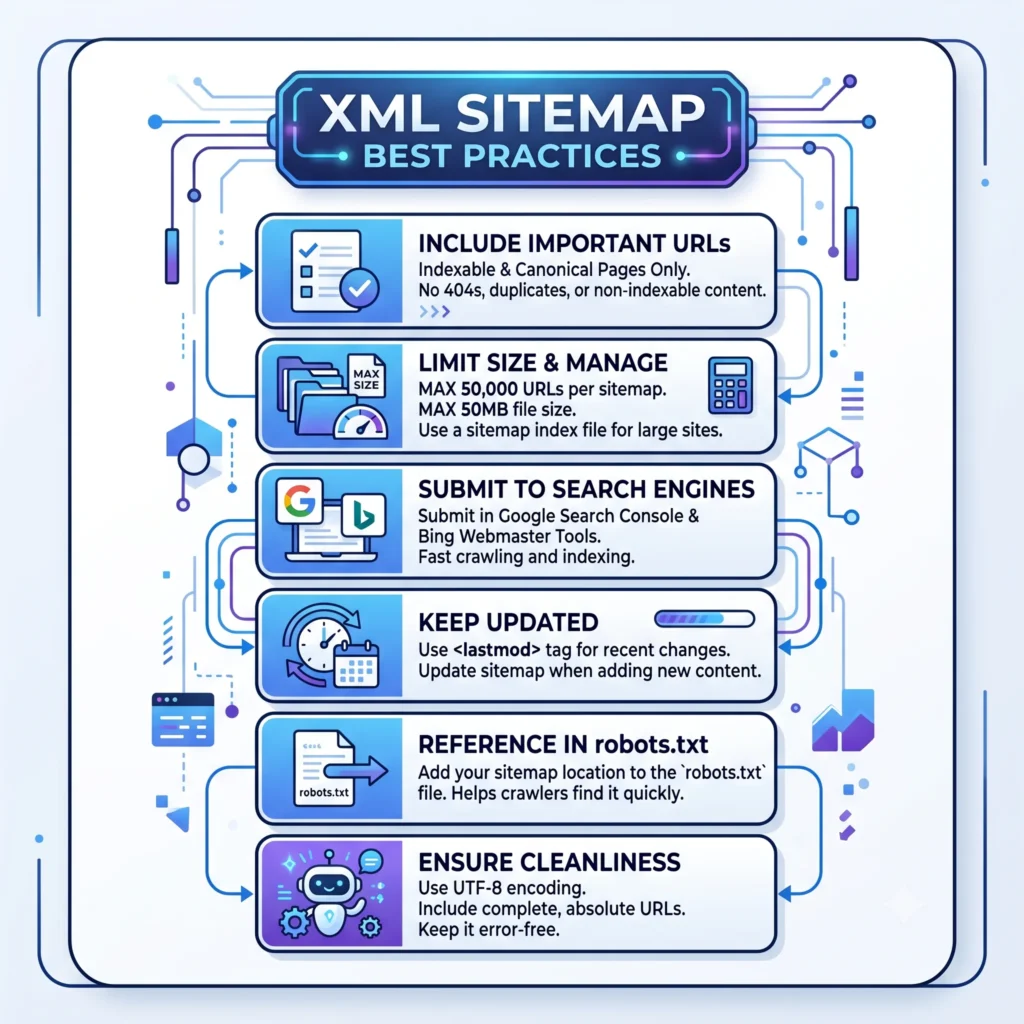
Following proven XML sitemap best practices ensures your sitemap actually helps your SEO instead of sitting unused. These recommendations are part of a broader technical SEO guide that covers crawlability, indexing, Core Web Vitals, and website optimization. Keep these in mind:
- Only include indexable pages. Don’t list noindex, blocked, or redirected URLs.
- Keep it updated. Use accurate <lastmod> dates so crawlers know what’s changed.
- Use a sitemap index for large sites. Split sitemaps by content type (posts, products, images) for easier management.
- Compress large sitemaps. A compressed sitemap (.gz format) reduces file size for faster crawling.
- Reference it in robots.txt. This improves discoverability across all search engines.
- Avoid duplicate or parameterized URLs. Keep only canonical URLs in the file.
- Limit URLs per file. Stick to the 50,000 URL / 50MB limit per sitemap file.
- Choose between dynamic sitemap and static sitemap wisely. Dynamic sitemaps auto-update with content changes — ideal for large or frequently updated sites.
Common XML Sitemap Errors and How to Fix Them
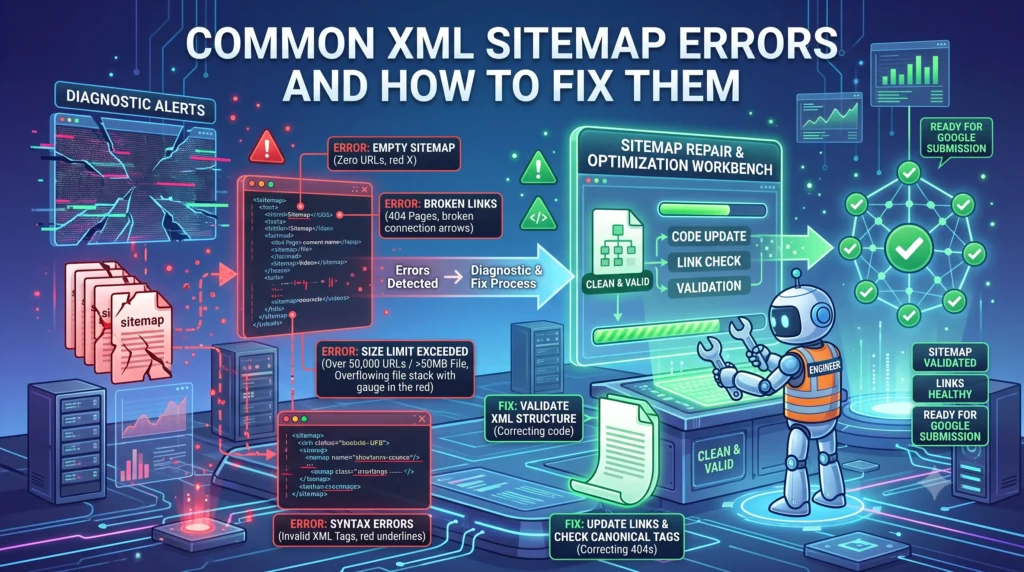
Even a well-built sitemap can run into XML sitemap errors. Here are the most frequent ones:
| Error | Cause | Fix |
| Sitemap couldn’t be read | Invalid XML syntax | Validate with an XML Sitemap Validator |
| URLs blocked by robots.txt | Sitemap includes disallowed pages | Remove blocked URLs |
| Contains noindex pages | Sitemap wasn’t filtered properly | Exclude noindex URLs |
| 404 pages in sitemap | Outdated or removed content | Clean up dead links |
| Soft 404 detected | Thin or empty pages listed | Improve content or remove URL |
| Incorrect lastmod format | Not W3C Datetime compliant | Use YYYY-MM-DD format |
| Sitemap not found | Wrong location or permissions | Confirm it’s in the root directory |
Running your file through an XML Sitemap Validator before submission can catch most formatting issues before they affect indexing.
XML Sitemap vs. HTML Sitemap
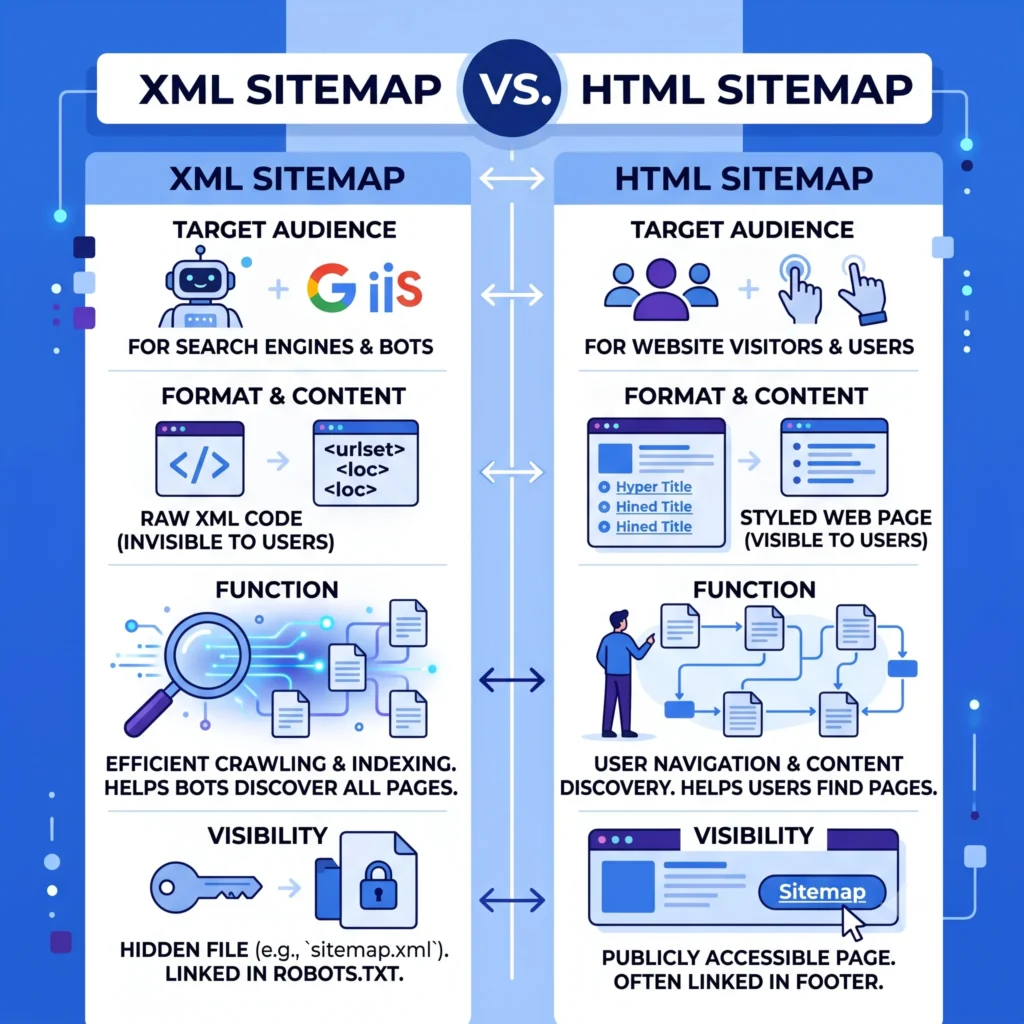
A common point of confusion in any XML Sitemap Guide is the difference between an XML sitemap vs HTML sitemap. They serve different audiences:
| Feature | XML Sitemap | HTML Sitemap |
| Audience | Search engine crawlers | Human visitors |
| Format | XML file | Regular webpage |
| Purpose | Website crawling & indexing | Site navigation |
| Visibility | Not shown to users | Linked in site footer/menu |
Most SEO-focused sites benefit from having both — the XML version for search engines, and the HTML version to help real visitors navigate a large site structure.
Advanced XML Sitemap Tips
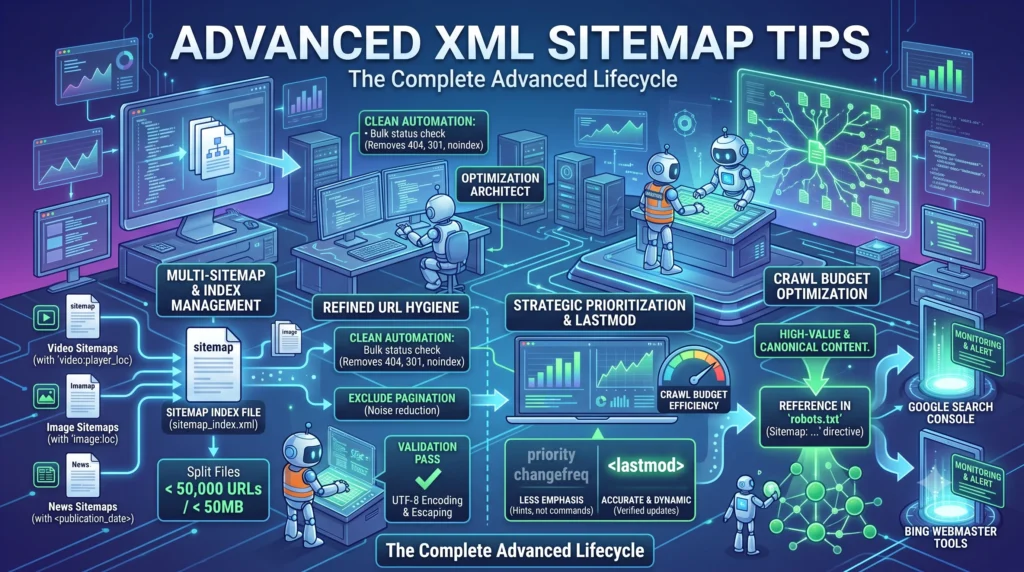
Once the basics are covered, this XML Sitemap Guide wouldn’t be complete without a few advanced techniques:
- Image and video sitemaps. If visual content matters to your SEO strategy, dedicated image or video sitemaps help search engines index media that might otherwise be missed.
- News sitemaps. Publishers can use a specialized format to get faster indexing for time-sensitive articles.
- RSS/Atom feeds as supplementary discovery. While not a replacement for a sitemap, feeds can support faster discovery of new content.
- Monitor via Index Coverage Report. Regularly check Google Search Console’s coverage data to catch indexing issues early.
- Align sitemap priority with website architecture. Reflect your actual site hierarchy so search engines understand which pages matter most.
Conclusion
This XML Sitemap Guide covered everything from the basics of what an XML sitemap is to advanced techniques for large, complex websites. A clean, accurate, well-submitted XML sitemap won’t guarantee rankings on its own, but it removes friction between your content and the search engines trying to find it. Pair it with strong internal linking, clean canonical URLs, and other technical SEO best practices to give your website the best possible chance at fast, complete indexing. and you’ll give your site the best possible chance at fast, complete indexing.
If you take one thing away from this XML Sitemap Guide, let it be this: keep your sitemap accurate, keep it updated, and keep it free of errors.
Frequently Asked Questions
• What is an XML sitemap?
An XML sitemap is a file that lists your website’s important URLs to help search engines discover and crawl your content more efficiently.
• How do I create an XML sitemap?
You can create an XML sitemap manually, with a CMS like WordPress, or by using an XML sitemap generator tool.
• How do I submit an XML sitemap to Google?
Submit your sitemap URL in Google Search Console under Sitemaps to help Google find and index your pages.
• Does an XML sitemap improve SEO?
An XML sitemap doesn’t directly improve rankings, but it helps search engines crawl and index your content more effectively.
• What are XML sitemap best practices?
Keep your sitemap updated, include only indexable URLs, reference it in robots.txt, and stay within the 50,000 URL and 50 MB limits.

FluxSEO’s Team creates practical, beginner-friendly guides on SEO, blogging, keyword research and digital growth. Our goal is to simplify search engine optimization and help website owners improve visibility, rankings and organic traffic with clear, actionable advice.